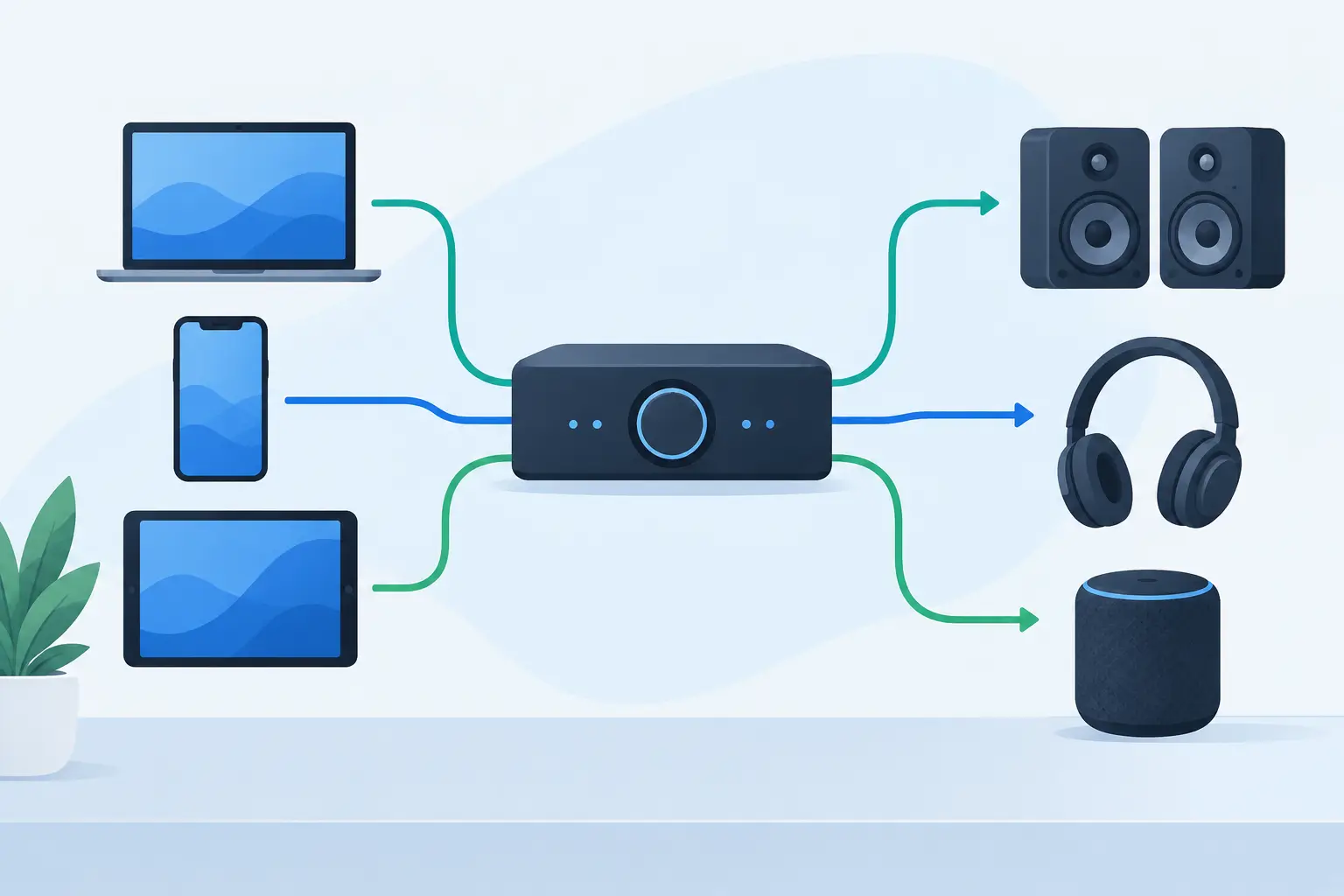
A single Bluetooth speaker puts sound in one spot. Audio channel routing lets you decide where that sound goes instead. Send the left channel to a phone near the window, the right channel to a tablet across the room, and the center content to a laptop by the screen. The devices you already own start acting less like isolated players and more like parts of one system.
That shift matters when a room needs more than volume. A movie night needs dialogue that stays anchored to the display. A party playlist benefits from wider coverage, so people in the kitchen are not listening to a distant, muffled beat. A creator testing a mix needs to hear whether an element pulls too far left or disappears in the center. Channel assignment gives you control over those decisions without requiring a rack of new audio hardware.
What audio channel routing actually controls
An audio signal can contain multiple channels, each carrying a different part of the listening experience. In the simplest stereo setup, the left and right channels create width. When those channels come from separate positions in a room, instruments, effects, and movement have somewhere to go.
Audio channel routing is the process of assigning those channels to specific output devices. Rather than asking every device to play the same full mix, you choose each device's job. A phone can become the left speaker. A tablet can handle the right speaker. A desktop speaker or laptop can carry the center channel. A device with stronger low-end output can be reserved for bass-focused content when your setup supports it.
The result is not automatically a studio-calibrated surround system. Device speakers differ in size, loudness, frequency response, and placement. But routing creates a meaningful improvement over mirrored playback because each device contributes a defined piece of the sound field.
Start with the room, not the channel labels
Before assigning outputs, look at where people will listen. Put your most capable devices where they make the biggest difference. A laptop with decent speakers may work well at the front of a small room. Phones can fill the left and right sides. A tablet can cover a seating area that would otherwise feel disconnected.
For a basic stereo layout, place two devices at roughly equal distance from the main listening position. Assign left to the device on the left and right to the device on the right. Keep them at a similar height if possible. This is the quickest way to hear why channel separation matters.
For video, add a center device near the screen. Center routing is useful for dialogue and lead vocals because it gives those elements a stable location. If the center device is much louder than the others, lower its volume before assuming the routing is wrong. Balance is as important as assignment.
A wider layout is not always better. In a small bedroom, devices placed too far apart can make the mix feel disconnected. In a large living room, stereo speakers placed close together may not create enough separation. Move devices first, then make smaller level adjustments.
Build a practical multi-device layout
Start a session on one host device. Then have each additional device join the same session, ideally through a QR code or room access flow. Name the devices based on their physical position, such as “Left Shelf,” “TV Center,” or “Kitchen Right.” Clear names prevent mistakes once several screens are connected.
Next, assign a role to every device. Keep the first setup simple: left, right, and center. Play familiar music with clear vocals and a steady beat. Stand where your audience will stand or sit. If vocals seem to drift, check the center assignment and volume. If the mix leans to one side, lower the louder device or reposition it.
Once the basic layout works, experiment with specialized roles. Put ambient effects toward the rear of the room if your source and routing options allow it. Send bass-heavy content to the device with the fullest speaker, but do not expect a phone to replace a subwoofer. Virtual bass processing can create more perceived weight, yet it cannot create the physical low-frequency output of a dedicated large driver.
MUSIXQUARE is designed for this kind of reuse: connect phones, tablets, and desktops in a browser-based session, then turn each device into a controllable part of the layout. The point is not to force a fixed speaker configuration. It is to let the room and the available devices define the system.
Synchronization decides whether routing feels good
Correct channel routing can still sound wrong when devices are not synchronized. If one device plays even slightly later than another, a drum hit can smear, vocals can feel doubled, and stereo imaging can collapse. The wider the physical distance between devices, the easier it is to notice timing differences.
Use the same local network whenever possible. Keep devices awake, reduce unnecessary background activity, and avoid moving in and out of weak Wi-Fi coverage during playback. A crowded network can add instability, especially when many people are also streaming, gaming, or downloading.
Use latency and sync controls to make fine corrections. Start with a track that has sharp transients, such as handclaps, snare hits, or a dry vocal. Listen from the main position. If one side consistently arrives late, adjust that output rather than changing every device. Make small changes, test again, and stop when the sound locks together.
There is a trade-off here. Aggressive low-latency settings may reduce delay but can become less stable on weaker connections. A slightly larger, consistent buffer often sounds better than a setup that occasionally drops, clicks, or shifts timing. For a party, stable playback usually matters more than chasing the smallest possible number.
Tune each output for its job
Routing tells a device where to play. Sound tuning determines how it contributes. Small device speakers often sound clearer when you reduce excessive low frequencies and avoid pushing volume to the point of distortion. If a phone is acting as a side channel, clarity in upper mids may be more useful than extra bass.
Use equalization with a specific problem in mind. If dialogue is hard to understand, improve presence in the center device rather than increasing every output. If the room sounds harsh, reduce the frequencies causing fatigue instead of applying a broad enhancement effect everywhere. Features such as warmth, clarity, reverb, virtual surround, and virtual bass can help, but they should support the layout rather than hide its weaknesses.
Reverb is a good example. A small amount can make a dry source feel more spacious. Too much can blur the channel positions you just created. Virtual surround can add a sense of width through headphones or compact speakers, but its effect depends on the source material, device speakers, and listener position. Test with your actual room, not just a volume slider.
Common routing mistakes to avoid
The most common mistake is placing every device in the same area and expecting channel labels alone to create space. Left and right channels need physical separation to produce a convincing stereo image. Another is assigning the strongest device to a minor channel while expecting a quiet phone to carry dialogue or vocals.
Avoid setting every output to maximum volume. Device speakers distort differently, and one overdriven unit can make the entire system sound worse. Set individual levels first, then adjust the overall listening volume.
Also avoid changing routing, EQ, virtual effects, and sync settings all at once. You will not know which change solved the issue or created a new one. Assign channels, confirm synchronization, balance levels, and then tune the sound. This order keeps troubleshooting fast.
Finally, do not treat channel routing as a one-time configuration. The best layout for a desk, a dorm room, a backyard gathering, and a movie setup will not be the same. Rename devices, move them, reassign their roles, and build the system around the moment. Your next speaker layout may already be charging on the table.