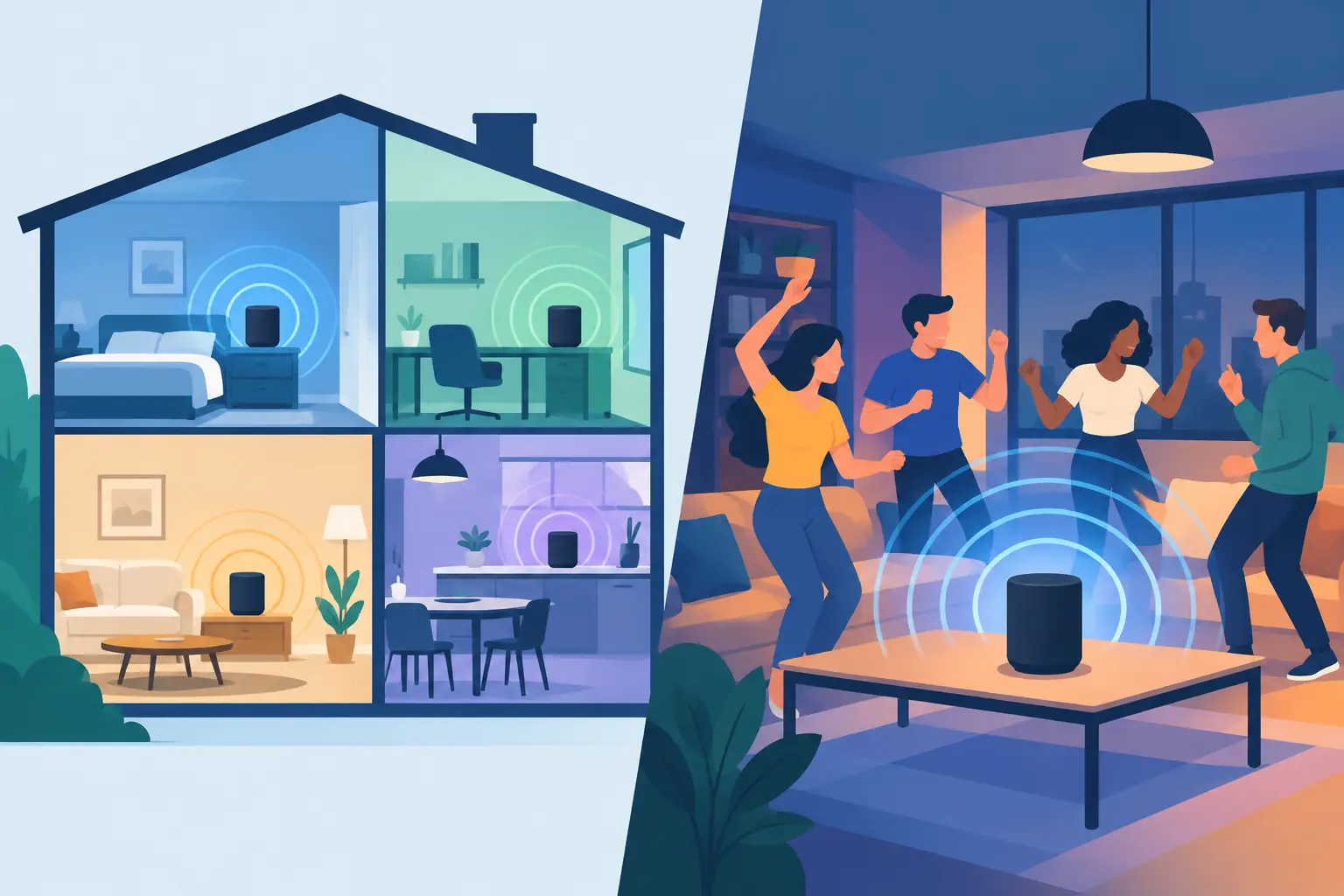
A living room party exposes the difference fast. Put one speaker in the kitchen, one on the patio, and a phone near the couch. If every device plays the same track, you have a larger listening area. But if you can decide which device handles the center signal, which one takes the left side, and which one reinforces bass, you are building a system.
That is the real question behind multiroom audio versus party mode. Both can make music play on more than one device. They are not designed for the same level of control, the same kind of space, or the same listening goal.
Multiroom Audio Versus Party Mode: The Core Difference
Party mode is usually the fast, social option. A primary device sends the same music to multiple connected speakers or devices. The goal is coverage: more volume, more people, and fewer quiet spots around the room. Start playback, add devices, and keep the track moving.
Multiroom audio is broader. It may also send the same song everywhere, but it is built around managing audio across separate rooms or zones. One room can play at a different volume. Another room may use a different source. Depending on the system, a bedroom can stay quiet while the kitchen and patio continue playing.
The practical distinction is simple: party mode treats connected devices as one group, while multiroom audio treats them as locations that can be grouped, separated, and controlled independently.
Neither approach automatically creates surround sound. That requires more than synchronized playback. It requires intentional channel assignment, device placement, and timing control.
What Party Mode Does Well
Party mode is the right choice when the room is moving and no one is sitting in a fixed listening position. Think birthday parties, game nights, casual studio sessions, or an apartment gathering where people drift between the kitchen and balcony.
Its strength is speed. You do not need to map rooms or design an audio layout. Connect compatible devices, choose one track, and let the group hear it together. For many hosts, that is exactly enough.
Party mode also works well when every device has a similar role. Two portable speakers on opposite ends of a room can make a small space feel more active without asking guests to learn a new control system.
There are limits. A copied stereo signal can become messy when devices are far apart or have different playback delays. Standing between two speakers that are slightly out of sync can produce an audible echo. Volume matching can also be uneven when one device is a phone, another is a tablet, and another is a larger Bluetooth speaker.
Party mode is not failing in those cases. It is simply optimized for shared playback, not precision placement.
Where Multiroom Audio Has More Range
Multiroom audio becomes useful when your space has distinct listening zones. You may want lower volume in the kitchen, stronger sound in the main room, and no playback at all in a workspace. You may want one person to control the session while everyone else joins without accessing the source account.
This approach gives you a way to think in zones rather than just devices. A tablet can become the patio output. An old phone can cover the hallway. A laptop can take the living room. Each device is part of the same setup, but it does not have to behave identically.
For people using dedicated speaker ecosystems, multiroom control is often tied to that brand's hardware and app. That can be convenient if every speaker already belongs to the same system. It can be restrictive if your available gear is a mix of phones, tablets, computers, and older speakers.
A browser-based approach changes the starting point. Instead of buying matching hardware first, begin with the devices already in the room. Create a session, have participants join by QR code, and manage connected devices from one place. MUSIXQUARE is designed around this model, turning available screens and speakers into a configurable audio network.
Synchronized Playback Is Not the Same as Spatial Audio
This is the point most comparisons miss. Multiroom playback and party mode both focus on synchronization. Spatial audio focuses on placement and role.
If every device receives the same full-range output, the room gets louder and wider. That can be useful, but it does not tell the listener where a vocal, drum hit, or guitar should appear. The sound is duplicated, not distributed by purpose.
A spatial setup assigns jobs. Place one device to the left, another to the right, and a third near the center. If the system supports it, use another device for low-end reinforcement. Now the room is not just filled with music. The music has a layout.
This is especially effective in small creative spaces, dorm rooms, pop-up events, and home listening setups where expensive speaker arrays do not make sense. A few existing devices, placed deliberately, can create a more dimensional result than a single speaker turned up too loud.
It does depend on the devices. A phone speaker will not replace a real subwoofer, and tiny speakers cannot reproduce deep bass accurately. Treat channel assignment as a way to improve the experience with what you have, not as a promise that every device becomes professional audio gear.
Choose Based on the Room and the Job
Use party mode when you need one track everywhere with minimal setup. It is a good fit for temporary gatherings, open spaces, and situations where movement matters more than precise listening.
Choose multiroom audio when rooms need different volume levels, separate grouping, or more deliberate management. It is better for a home with multiple activity areas, a small venue, or any setup where one output should not control the entire space.
Choose a channel-based multi-device session when the goal is immersion. This is the option for watching a concert video with friends, testing a music mix, creating an installation, or making a familiar room feel more like a listening environment.
You can also combine the ideas. Start with a shared session for everyone. Group devices for broad coverage. Then assign the devices closest to the main listening position to left, right, or center roles. The rest can remain support outputs at lower volume.
Control Is What Makes the Difference Usable
Adding devices is easy. Keeping them useful is where a system earns its place.
Look for controls that let a host manage who joins, rename devices by location, set room access with a password, and limit the number of connections when needed. These details matter at a party, but they matter even more in classrooms, creator sessions, and small public events. You want guests to join quickly without turning playback into an open control panel.
Audio tuning matters too. Volume is only the first layer. Depending on the material and the hardware, you may need to adjust delay, improve clarity, add warmth, reduce harsh frequencies, or use virtual bass and virtual surround carefully. These controls should support the room rather than overwhelm the original mix.
Start simple. Place devices before changing effects. Confirm that playback is synchronized. Then make small adjustments and listen from the area where people will actually stand or sit. A setting that sounds impressive beside one speaker may sound unfocused from the middle of the room.
Set Up for the Experience You Want
First, decide whether the priority is coverage or placement. Coverage means getting consistent music into more areas. Placement means giving devices specific roles in a listening field. Do not try to solve both problems with maximum volume.
Next, name devices by their physical position: “Kitchen,” “Left Couch,” “TV Center,” or “Patio.” This takes seconds and prevents confusion once several people join. If a device moves, rename it immediately.
Then, keep the strongest devices near the primary listening area. Use phones and smaller tablets for nearby fill or channel experiments, not as distant main speakers. Reduce their volume if they pull attention away from better outputs.
Finally, test with a track you know well. Listen for doubled vocals, delayed percussion, or a bass response that gets thin in the middle of the room. Adjust synchronization before adding sound enhancements. Good timing is more valuable than extra effects.
The best setup is not the one with the most devices. It is the one where every connected device has a clear place, a clear role, and a reason to be in the session.