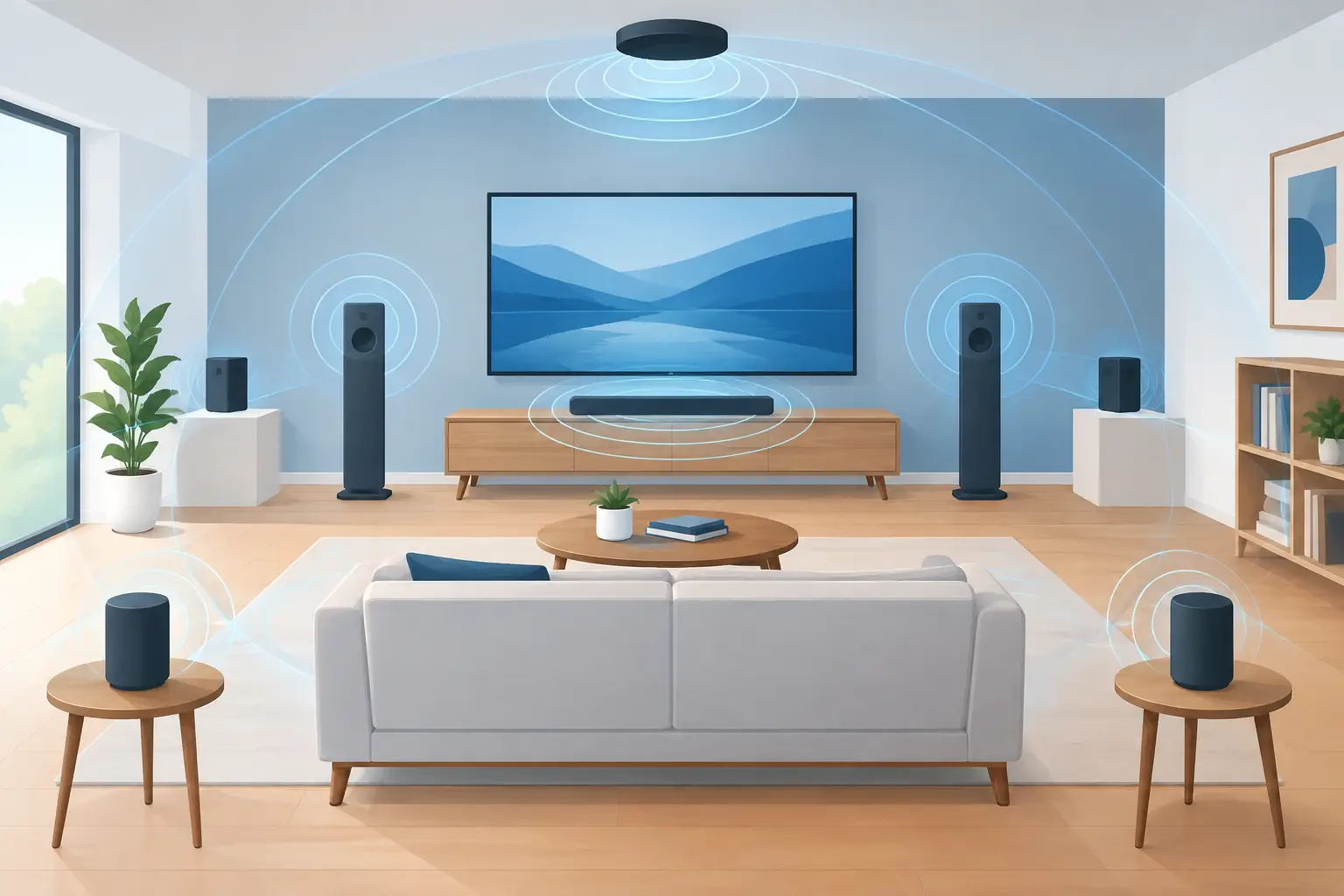
A phone on a bookshelf, a tablet near the couch, and a laptop by the desk can do more than play the same track. With intentional spatial speaker placement, they can create direction, scale, and separation across a room. The difference is not expensive hardware. It is deciding where each device belongs, what role it should play, and how accurately it stays in time with the rest.
A single Bluetooth speaker sends sound from one point. A multi-device setup lets you distribute sound across the space you already use. Put a left channel where listeners expect the left side of the mix. Move the right channel across the room. Add a center device for vocals and dialogue. Reserve the device with the strongest low-end response for bass. The room becomes part of the system.
Start with the listening area, not the devices
Before assigning channels, define the listening position. This is the seat, couch, floor area, or standing zone where people will spend most of their time. Speaker placement only feels spatial when it is built around a real point of listening.
For a couch setup, imagine a triangle. Place the left and right devices in front of the main seating area, separated enough that the stereo image has width. A practical starting point is to set them about as far apart as they are from the listener. If the speakers are six feet from the couch, begin with roughly six feet between them.
Do not force symmetry if your room cannot support it. A side table, doorway, or kitchen counter may make one side closer than the other. In that case, move the closer device slightly forward or lower its volume. Balanced perceived sound matters more than perfectly matched measurements.
For a party or open room, the goal changes. You are not optimizing for one seat. You are creating even coverage with a sense of movement. Spread devices around the perimeter, but avoid placing every speaker in a corner. Corners can exaggerate bass and make the mix feel muddy. Keep at least one device closer to the center of activity so the sound does not feel like it is coming only from the walls.
Build your spatial speaker placement map
Assigning a channel gives each device a job. Start simple, then expand only when the room and devices justify it.
Use left and right channels to create width
Left and right are the foundation. Place them at similar height when possible, pointing toward the main listening area. Ear height is ideal for focused listening, but it is not mandatory. A phone on a shelf can still work well if it is not blocked by books, fabric, or the edge of furniture.
Avoid placing the left and right devices too close together. If they sit within a few feet of each other, the stereo image collapses toward the middle. Move them outward until instruments, effects, and panned details begin to feel separate. If the separation becomes too extreme, the center of the mix may feel empty. Bring them back in gradually.
Add a center channel when voices matter
A center channel is useful when vocals, spoken word, games, movies, or live streams need a stable anchor. Place this device directly in front of the listening position, ideally near the display or focal point of the room.
The center channel should support the left and right devices, not overpower them. Start slightly lower in volume than the side channels. Raise it only until dialogue becomes clear and vocals stop drifting when you move your head. If it is too loud, music can sound narrow and overly concentrated.
Treat bass as a placement problem
Low frequencies react strongly to room boundaries. If one device is assigned to bass or subwoofer duty, test it in more than one location before adjusting EQ. A spot near a wall may add weight. A corner may add even more, but it can also create boominess that covers kick drums and bass lines.
Start with the bass device near the front wall, slightly away from a corner. Play a familiar track with a steady bass pattern. Walk around the room. If the bass disappears at the couch but overwhelms the doorway, move the device a foot or two and test again. Small changes can produce larger results than aggressive equalizer settings.
Not every phone or tablet should be asked to handle low bass. Small speakers often distort or lose definition at low frequencies. Use the device with the fullest response for bass, then let smaller devices focus on presence, detail, or ambient width.
Sync first, then tune the sound
Spatial audio falls apart when devices are not aligned. Even a small delay can turn a wide sound field into an audible echo. Start the session, connect each device, and check synchronization before making detailed sound adjustments.
Use a track with a sharp snare, handclaps, or a clear vocal rhythm. Stand between two active devices. If the attack feels doubled, adjust delay or synchronization settings until the hit lands as one event. Repeat the check from the main listening area. A setup that sounds aligned near one speaker may need a final correction from the actual listening position.
MUSIXQUARE is designed for this workflow: start a browser-based session, have devices join by QR code, then assign their roles and manage synchronization from one system. Rename devices as they join. Names such as “Left Shelf,” “Center TV,” or “Bass Corner” prevent confusion once several screens are active.
After timing is stable, make tonal changes with restraint. If a phone sounds harsh, reduce its high-frequency emphasis rather than boosting every other device. If the room feels thin, add a small amount of warmth or virtual bass where it helps most. Reverb can make a sparse setup feel larger, but too much reverb blurs percussion and speech. Use it for atmosphere, not as a fix for poor placement.
Account for the device itself
A device speaker is not neutral. Its orientation, case, surface, and battery state affect what you hear. Point bottom-firing phone speakers toward open space instead of burying them against a tabletop. Remove thick cases if they block speaker grilles. Keep devices charged or connected to power for longer sessions, since low battery modes can affect performance and volume.
Hard surfaces reflect sound. A tablet on a glass table may sound brighter than the same tablet on a wooden shelf. Soft surfaces absorb high frequencies. If a device on a couch sounds muffled, elevate it on a stable tray or small stand. You do not need studio treatment, but you do need to avoid obvious physical obstructions.
Height also changes perception. Devices placed low tend to make sound feel grounded but can be blocked by people and furniture. Devices placed too high can make vocals feel detached from the screen or gathering area. For casual listening, mix heights intentionally: keep left, right, and center relatively consistent, then place ambient or support devices higher or farther back.
Use extra devices for support, not noise
More devices do not automatically mean better spatial audio. Every added source introduces another placement, volume, and timing decision. Build a clear front stage first with left and right. Add center when content needs it. Add bass only when a capable device and room position are available.
Once the core is working, extra devices can extend the experience. Place one behind the listening area at a lower level for ambient support. Use another in an adjacent kitchen or hallway to maintain coverage during a gathering. Keep these support devices quieter than the main channels so they expand the room without competing for attention.
A useful test is to mute one device at a time. If removing it makes the system clearer, it may be too loud, poorly placed, or unnecessary. If removing it makes the sound field shrink without damaging clarity, it is doing useful support work.
Test with real movement
Do not finalize placement from a single chair. Walk from the couch to the kitchen. Stand near the entry. Sit on the floor. Spatial speaker placement for a movie night can prioritize one centered listening zone. Placement for friends moving through an apartment should prioritize continuity and broad coverage.
Use two or three familiar tracks with different demands: one vocal-focused song, one bass-heavy track, and one with wide stereo details. Then test spoken audio if your system will also handle video or games. Make one adjustment at a time: move a device, change its channel level, or correct timing. Changing everything together makes it impossible to identify what improved the result.
The best setup is not the one with the most channels. It is the one where every device has a clear position, a useful role, and enough synchronization to disappear into a single shared sound field.